Tap Start.
Your phone sends out a Bluetooth beacon whose code changes every 10 seconds. A screenshot or an old code is useless.
The teacher taps Start. Students open the app. The room checks itself in, in about two seconds, with no internet and no hotspot.
Set it up once. After that, opening the app is the check-in.
Your phone sends out a Bluetooth beacon whose code changes every 10 seconds. A screenshot or an old code is useless.
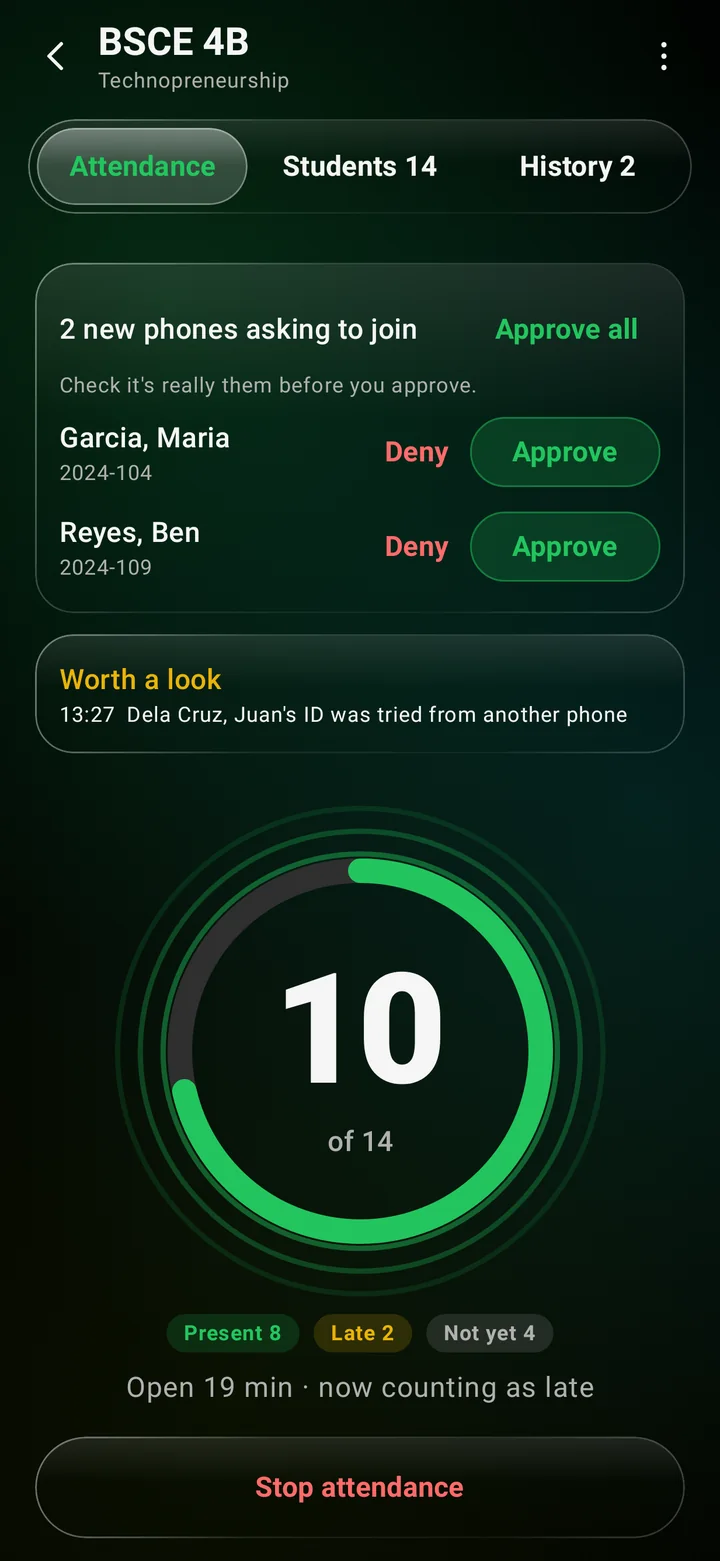
The counter rolls up as students arrive: 10 of 14, 11 of 14. New phones ask once, you tap Approve, or Approve all.
Open Presencia near the teacher. A big tick says Present or Late, the phone vibrates, and the app closes itself and switches Bluetooth off.
If two of a student's classes are taking attendance next door to each other, they pick which room they're in, closest first.
Preview, then export: Presencia's class record, DepEd SF2, your own spreadsheet, or your school's Word form, like USTP's.
No hotspot to join, no tablets to buy, no lines at the door. Any Android phone from Android 8 up does the job, for teachers and students alike.
Everything happens phone to phone over Bluetooth. Rooms with no Wi-Fi and no data are fine, and the hotspot limit of 8 to 20 devices never applies.
Every check-in is signed by a key locked in that phone's hardware. Codes expire in seconds, and new phones need the teacher's approval.
Fills the forms you already submit.
Tap the school ID on the phone, scan its QR code, or type the student number. Once.
Classes and attendance upload by themselves whenever there's internet, and restore on a new phone.
Presencia is an Android app, and Safari doesn't let websites use Bluetooth, so iPhones can't check in yet. Teachers need an Android phone; students on iPhone can be marked present by hand, and marks can be changed any time after class.
Free for students. One app for teachers and students: pick your role when it opens.
.apk file.Android 8 or newer. Updates are announced inside the app.